Rule settings
Press R on the board list to open Rule settings. Whatever you leave here is what the match is played under.
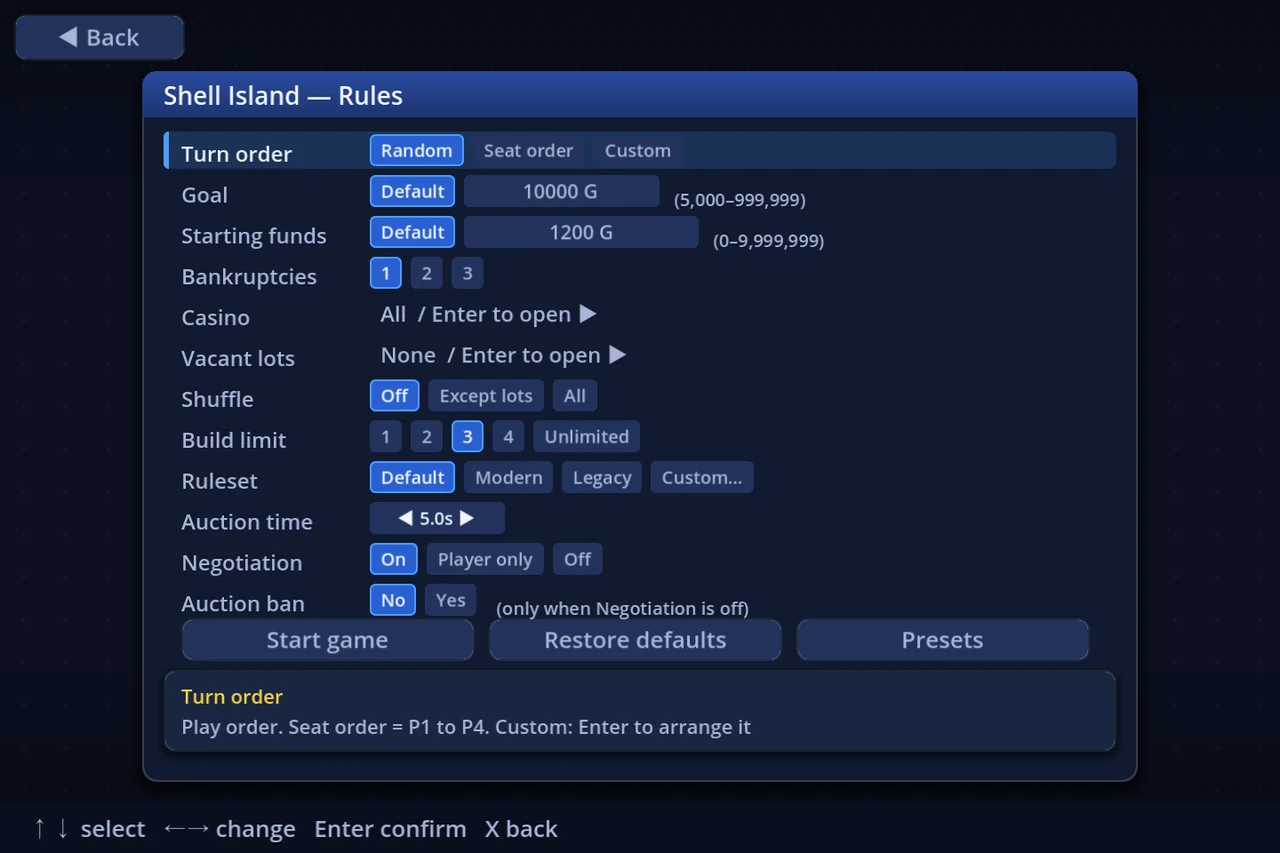
- ↑↓ picks a row, ←→ changes its value
- The box at the bottom explains the row you are on
- Rows that Enter opens (casino, vacant lots, a custom turn order) say so on the row itself
- The bottom row holds Start game, Restore defaults and Presets
During a match, Data → Rules reads the whole set back.
1. The rows
| Row | Values | What it does |
|---|---|---|
| Turn order | Random / Seat order / Custom | Who goes when. Seat order = P1, P2, … Custom opens an arranger with Enter |
| Start squares | As authored / In turn order / Random | How the per-turn start squares are dealt. Only appears on boards that have several of them |
| Goal | Default / 5,000–999,999 | Reach this net worth, then a bank, and you win. Enter types it (0 = Default, the board's own recommendation) |
| Starting funds | Default / 0–9,999,999 | What every seat starts with. Enter types it (← returns to Default, the board's own) |
| Bankruptcies | 1 … (players − 1) | End the match after this many players go bankrupt; the richest survivor wins |
| Casino | Enter opens the picker | Which minigames appear. With none selected, landing on a casino just pays level × 10G |
| Vacant lots | None / A few / Moderate / Many / All | How many shops start as vacant lots. Enter shows each level's extent |
| Shuffle | Off / Except lots / All | Permutes the board's (shop price, fee) pairs. "All" relocates the vacant lots too |
| Build limit | 1 / 2 / 3 / 4 / Unlimited | How many of each building may be built. Shops are exempt |
| Ruleset | Default / Modern / Legacy / Custom… | The Legacy–Modern mix. Enter sets each element |
| Auction time | seconds (0.1 steps) | How long without a bid before an auction closes |
| Negotiation | On / Player only / Off | Selling, buying and swapping shops. Player only = the CPU never proposes a deal |
| Auction ban | No / Yes | With Negotiation off, whether auctions stop too. Inert unless Negotiation is Off |
2. Goal and starting funds
The Goal is what ends the match. Left on Default it follows the selected board's own recommendation — pick another board and the number changes with it. To set your own, press Enter and type it; typing 0 puts it back on Default.
Starting funds is everyone's opening cash. Default is again the board's own, and ← returns to it.
⚠ Starting funds at or above the goal decides the match before the first roll. On a board with a bank, whoever reaches one first wins immediately; on a board without one, it is over before anybody moves. The row warns you, but it does not stop you — it is a party setting.
3. Picking casinos
Enter on the Casino row opens Casino selection.
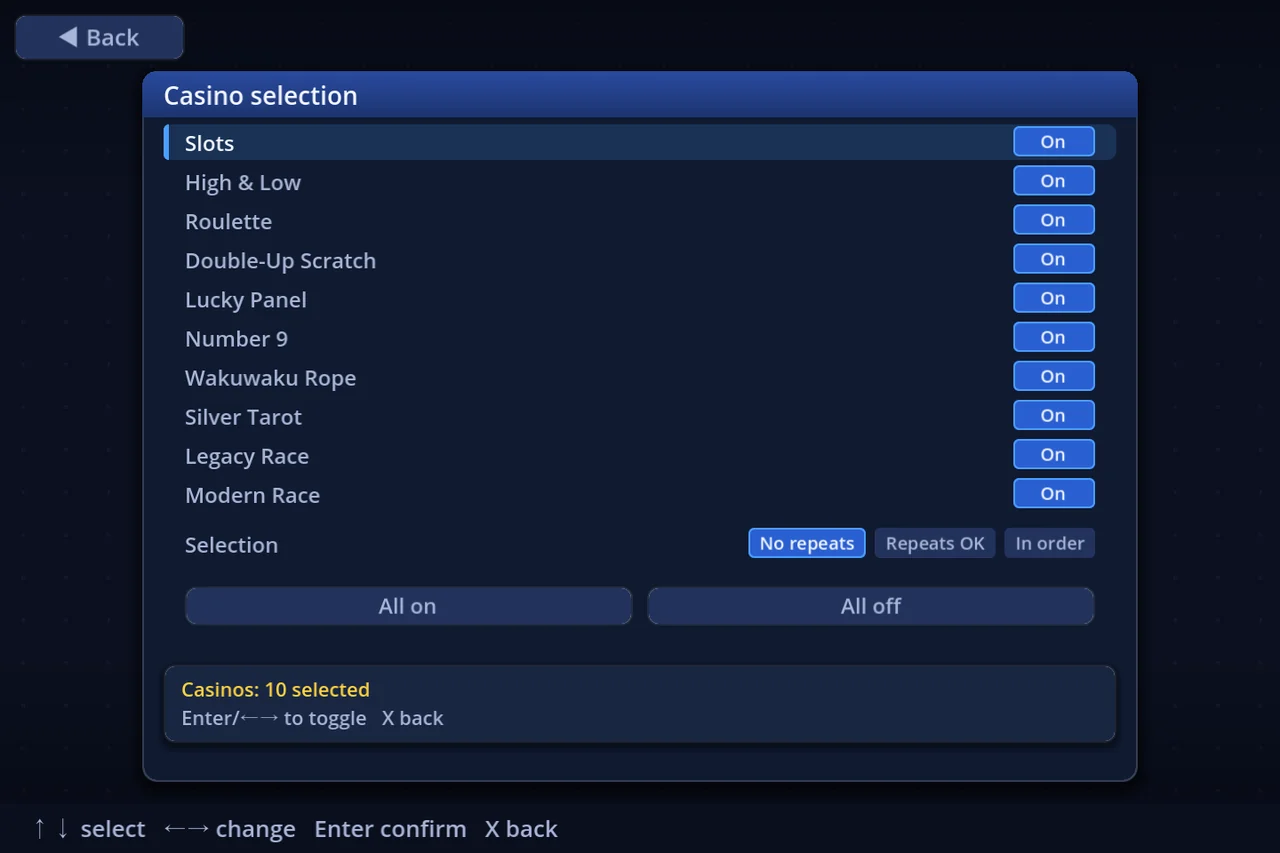
- Ten games, each On or Off (pressing anywhere on the row toggles it)
- Slots, High & Low, Roulette, Double-Up Scratch, Lucky Panel, Number 9, Wakuwaku Rope, Silver Tarot, Legacy Race, Modern Race
- Selection — No repeats (never the same game twice running) / Repeats OK / In order. It is ignored with one game or fewer selected
- All on and All off buttons
Turn everything off and a casino square simply pays level × 10G when you land on it.
4. Vacant lots
Enter on the Vacant lots row offers five levels — how many of the board's shops start as buildable lots instead.
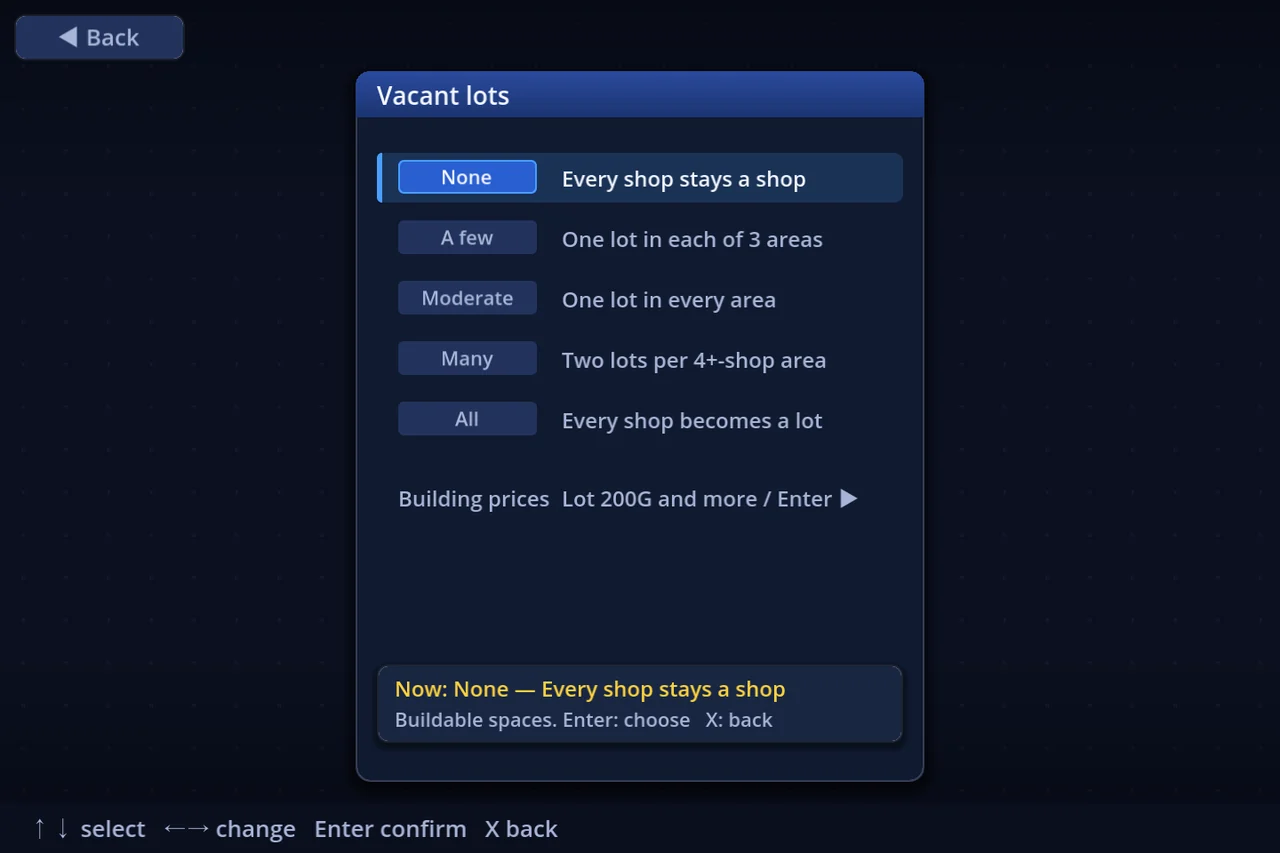
| None | Every shop stays a shop |
| A few | One lot in each of 3 areas |
| Moderate | One lot in every area |
| Many | Two lots per 4+-shop area |
| All | Every shop becomes a lot |
The same screen opens Building prices, where the cost of each building — and the numbers behind the toll booth, inn, my home and tax office — can be changed. The more of the board is lots, the more the match is about what you build on them.
5. Negotiation and auctions
- Negotiation — On (with anybody) / Player only (the CPU never proposes) / Off
- Auction ban — with Negotiation Off, whether auctions stop as well. Note that chance card 74's auction and the forced sales that follow a shortfall still run
While Negotiation is anything but Off, the Auction ban row is drawn dim and does nothing.
6. Presets
The Presets button (or P) opens Rule presets: the whole rule screen, saved under a name. You can keep 100 of them.
| Key | What it does |
|---|---|
| Enter | Use the selected preset |
| K | Save the current settings as a new preset |
| U | Overwrite the selected one |
| N | Rename |
| C | Copy |
| ←→ | Move it up / down the list |
| Del | Delete |
| E / F | Export one / all to a file you can hand to somebody |
| I | Import from a file |
Player setup has the same machinery as Player presets (seat names, pieces, controls and colours). It is a separate list from the rule presets.
7. Worth knowing
- Restore defaults puts every row back to the shipped setting
- Your rule settings persist — the next match starts from what you left here
- The fourteen elements behind the Ruleset row are covered in "Legacy and Modern"
- Player count and teams are not on this screen; they live on Player setup —see "More players, and teams"