More players, and teams
Epoch Street plays with two to eight players, and those seats can be split into two to four teams. Both are set on the Player setup screen.
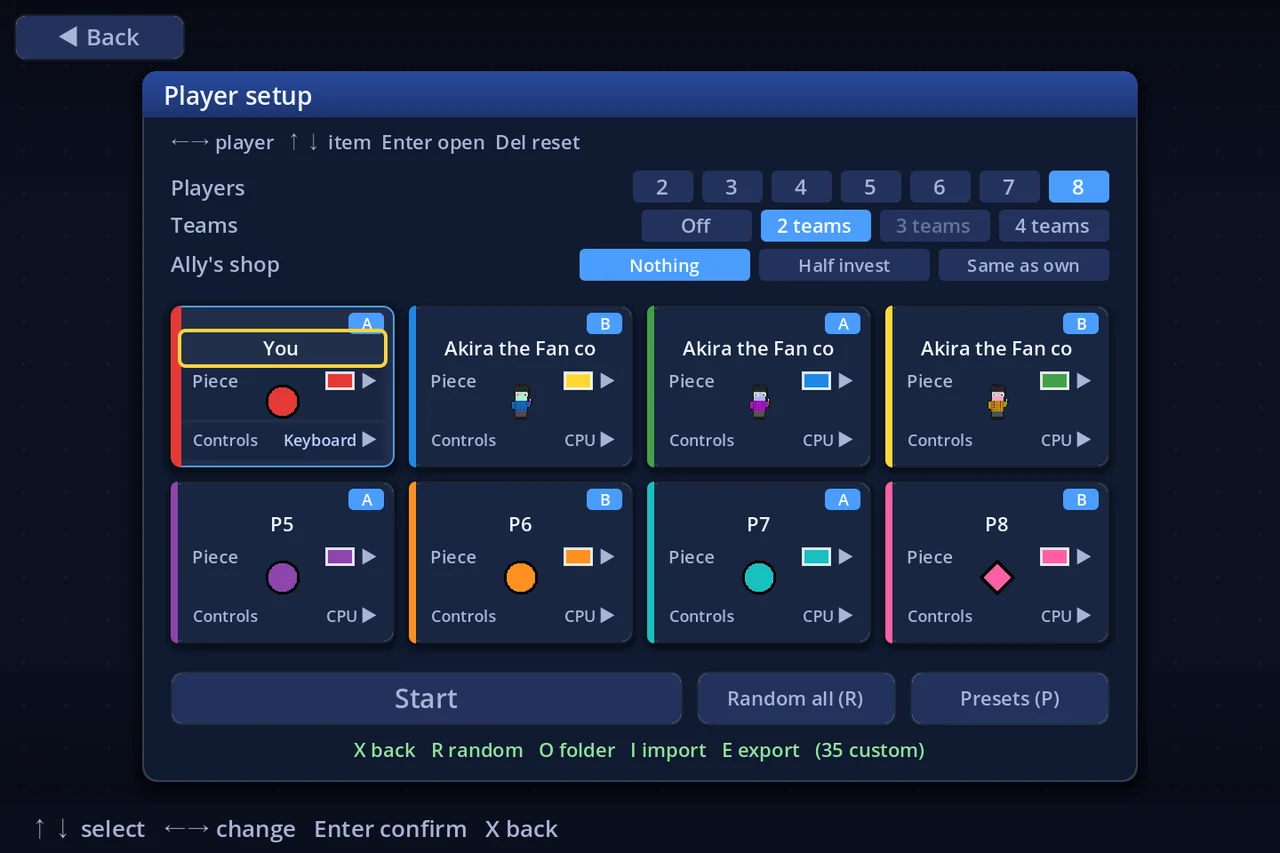
★ Where they are — player count and teams are Test mode features for now. Turn Settings → Other → Test mode on, and the Players and Teams rows appear on Player setup. With it off, the game is the four-player match it has always been.
1. Choosing the count
Picking Local multiplayer (or Single player) opens Player setup. The top row, Players, takes a number from 2 to 8.
- Changing the count never touches a seat's own settings — name, piece and controls all survive being dropped and brought back
- At five or more, the seat cards lay out as four columns in two rows
- A seat needs a controller nobody else is using; a seat coming into play starts as a CPU
- A match of nothing but CPUs will not start. At least one seat has to be a person
Raising the count from Single player keeps P1 as you and makes the rest CPUs.
2. A board's "max players"
A board's author may declare a maximum player count. The board list's info panel shows it on the Players line: up to 4, or — when the board sets no limit.
- A board below your current count is flagged with ⚠ in the list
- Starting it anyway asks first: "This board is made for up to N players. Play with M?" — Play anyway / Go back
- "Play anyway" starts the match normally. The limit is the author's advice, not a lock — with eight players on a small board you simply run out of shops to buy
Your own boards set it in the board editor under Board settings → maxPlayers (0 = no limit).
3. What changes as the count grows
| Sidebar | Cards shrink at 5–6 players and shrink again at 7–8. Name, rank, cash and net worth always stay |
| Bankruptcies | The rule's range becomes 1 to (players − 1) |
| Turn order | The order-slot reels match the number of seats |
| Pieces on one square | Five or more pawns wrap onto a second row |
| Results and records | Standings and stats grow with the count (eight players read as 2 columns × 4 rows) |
None of the economics change with the count — fees, stock, salary and the capital ceiling are the same at two players as at eight.
4. Team matches
The Teams row offers Off / 2 teams / 3 teams / 4 teams.
- Sides must be equal. 4 players = 2v2; 6 = 3v3 or 2v2v2; 8 = 4v4 or 2v2v2v2. A split the current count cannot divide evenly is drawn dim and cannot be chosen
- Seats are dealt round-robin into A, B, C, D (with two sides: P1=A, P2=B, P3=A, P4=B). To choose who plays with whom, move people between seats
- Change the count to something the split cannot divide, and teams turn themselves off
4a. Turns alternate across the sides
In a team match the order is A1 → B1 → A2 → B2 → … (three sides: A1 → B1 → C1 → A2 …). The Turn order rule setting is not used while teams are on.
4b. Winning is a team total
- Victory — when the combined net worth of a whole side is at or above the goal, any one of its members reaching a bank wins it for the team
- Elimination — players still go bankrupt one at a time; a side is out when every member is bankrupt, and the Bankruptcies rule counts sides, not seats
Raise the goal. Because the test is a team total, the default goal arrives about twice as fast in 2v2. Typing double the board's goal into the Goal rule setting is a good start.
4c. Between teammates
| Landing on an ally's shop | No fee is charged — nothing happens at all, as if the square were empty |
| 5× buyouts, takeovers, seizing a lot | Not possible against an ally |
| Trading | Allowed with allies — moving assets around inside a side is a tactic in itself |
| Chance cards | Unchanged. Cards that pick a target may pick an ally (a gift is a play) |
4d. The "Ally's shop" setting
Turning teams on adds an Ally's shop row underneath: what landing on a teammate's shop lets you do.
| Nothing | You walk on by (the default) |
| Half invest | You may invest up to half of one normal investment in their shop |
| Same as own | You invest exactly as you would in a shop of your own |
The money moves from your cash into your ally's shop. The side's total is unchanged, but the shop's fee and the district's share price both rise. Note that the CPU never invests in an ally's shop, whatever this is set to.
4e. On screen
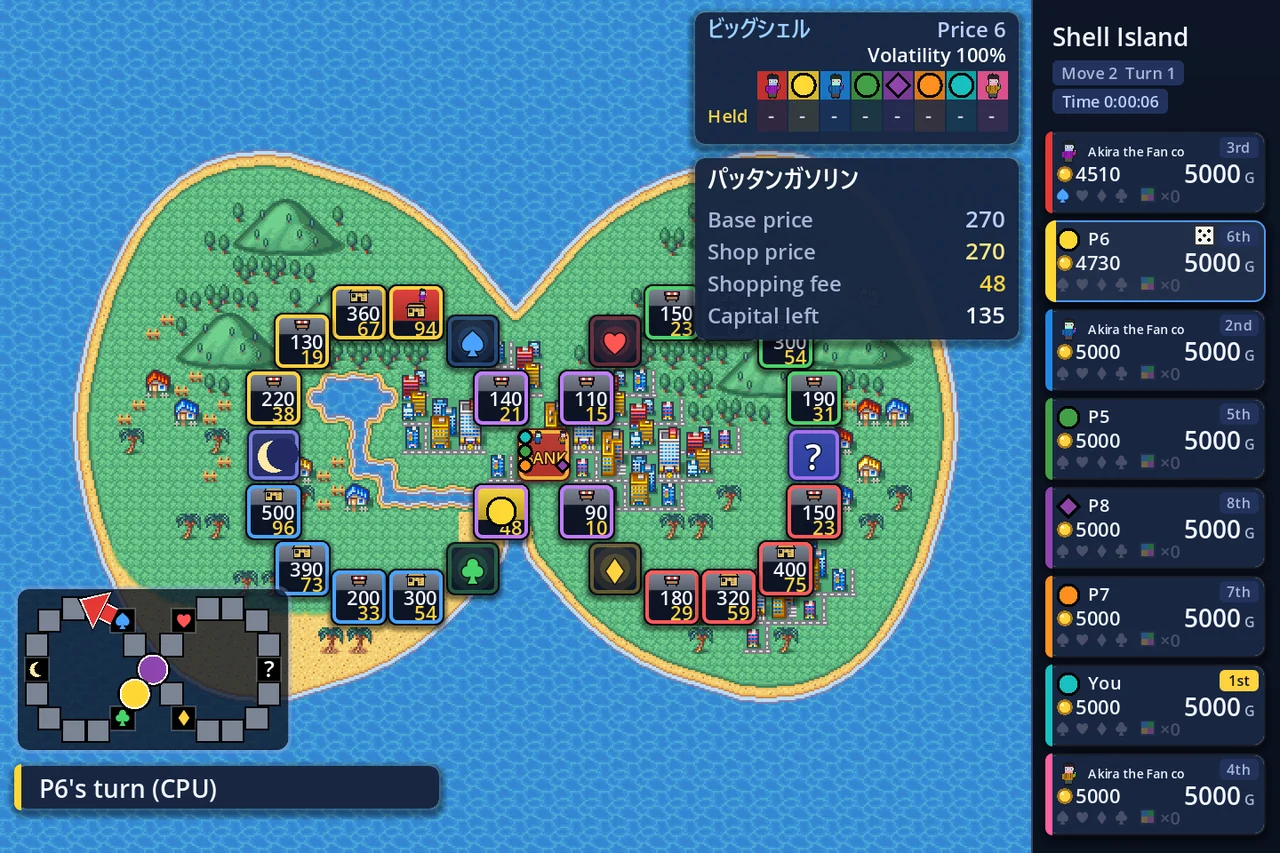
- Pieces and colours stay personal; the name line carries an A / B badge
- At four players or fewer each seat card shows its team total (taller cards are needed for that line, so 5+ goes without)
- The results screen still ranks individuals — per-team honours are not built yet
5. Not covered yet
- Challenges are still authored for four players
- There are no team-specific achievements or medals
Player count and teams are exactly the kind of thing that needs playing to judge. Tell us what you find on Discord.